Planner
The Planner allows you to easily manage your campaigns. It provides information about which campaigns were sent on specific days and about scheduled campaigns. It shows web/mobile push, onsite and pop-up/in-app campaigns.
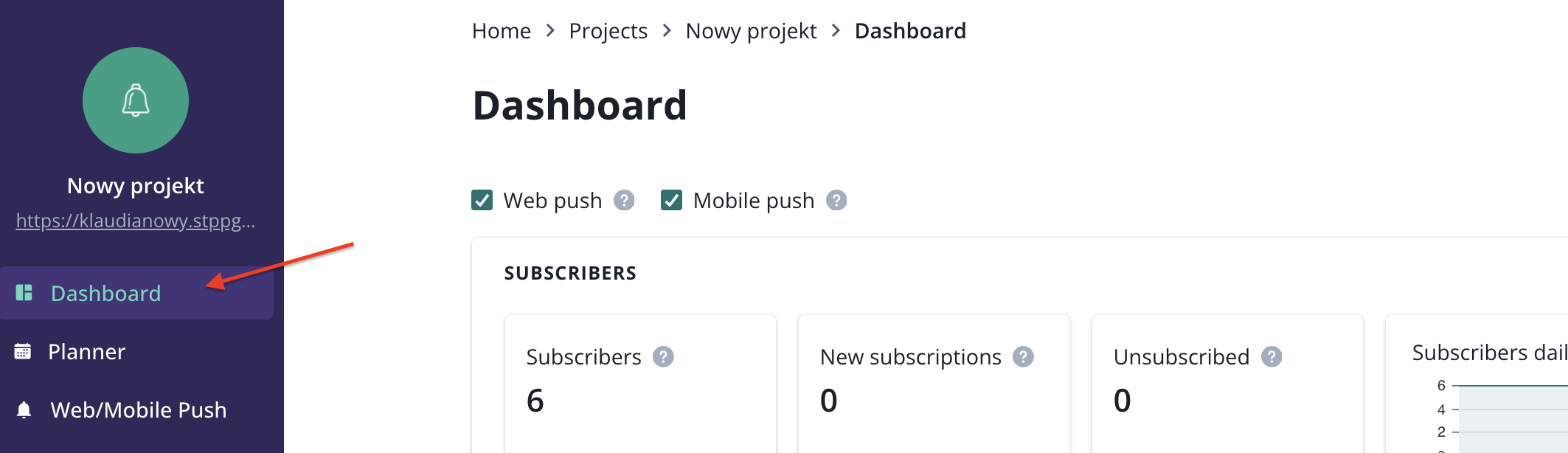
You will find that feature right below Dashboard in the side navigation bar:
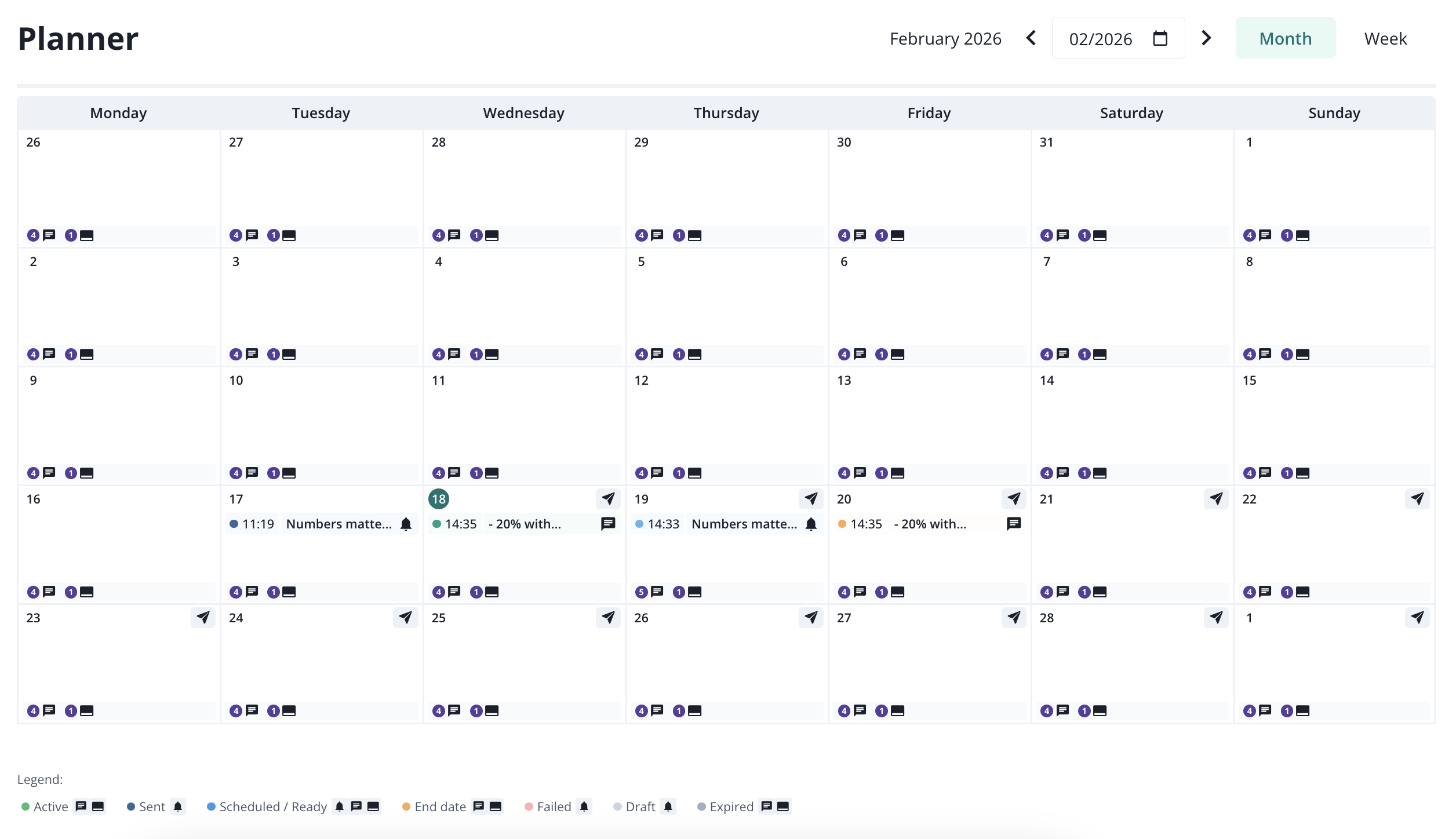
You can use month or week view.

Campaigns are being described by the status and you can recognize the channel by the icon.


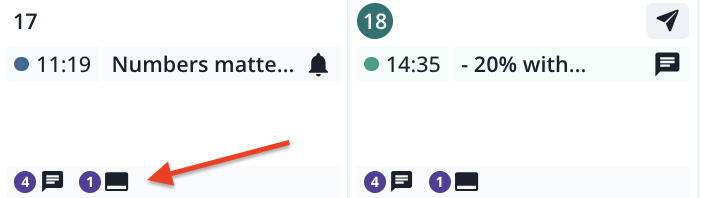
Campaigns can appear either inside the day container or below it, depending on the campaign strategy. Campaigns planned for a specific time range, and campaigns sent at a specific point in time (for example, a push notification) are shown inside the day container.
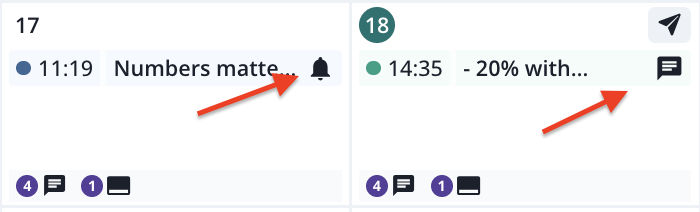
Campaigns placed at the bottom of day containers are being active constantly, with no date rage specified (onsite and pop-up/in-app can be setup in that way).
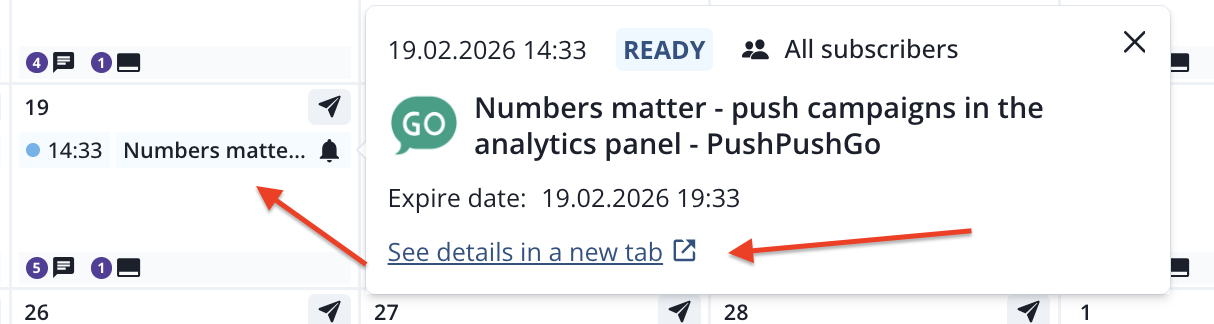
You can expand each campaign by clicking on it. You can also see its full report by clicking on "See details in a new tab".
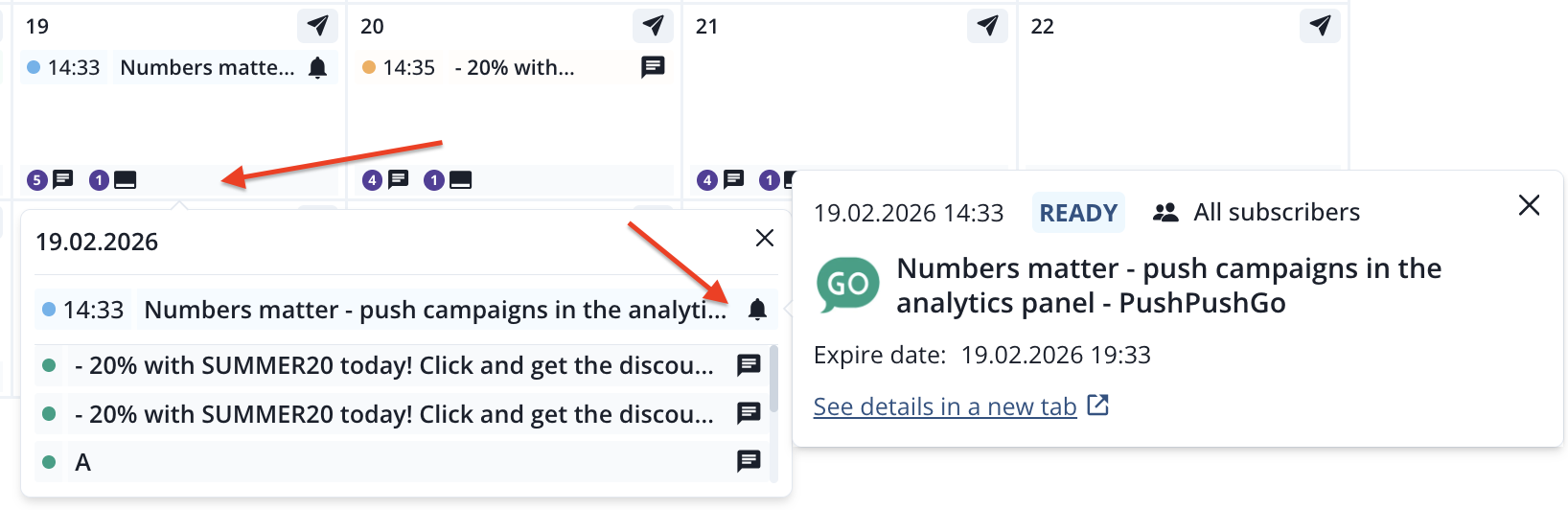
You can also expand a full list of campaigns for a selected day by clicking at the botton of the day container.
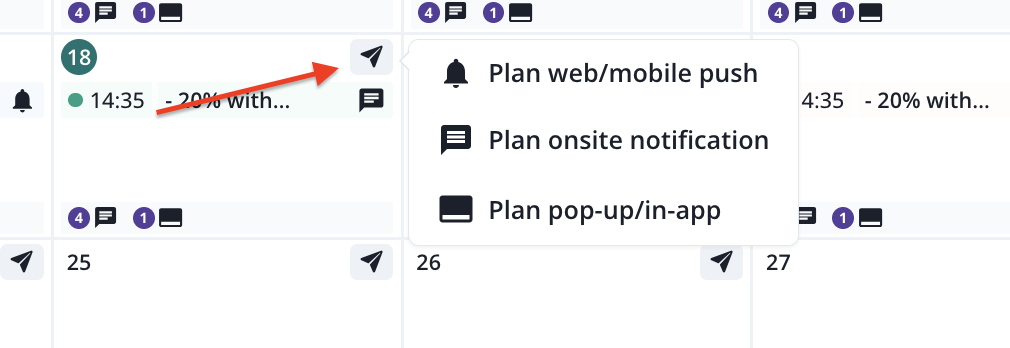
If you want to schedule a campaign for a specific day, simply click the button 'Plan campaign' on the chosen day, and you will be redirected to the campaign creator. The sending date will already be set in the creator.